Customize standard feed contents
Keep the existing URLs for the posts feed, public custom post type archive feeds, and public taxonomy term feeds while changing the output mapping.
Turn WordPress information into purpose-built feeds.
Build RSS 2.0 and JSON Feed 1.1 feeds from posts, custom fields, user profiles, and other structured WordPress information. Publish feeds for people, external services, and AI using only the values you explicitly map.
This plugin is provided free of charge. Test it and inspect the generated output on a staging site before using it in production.

Adjust existing WordPress RSS feeds, create multiple custom feeds at separate URLs, or disable standard feeds and their discovery links when they are not needed.
Keep the existing URLs for the posts feed, public custom post type archive feeds, and public taxonomy term feeds while changing the output mapping.
Build multiple purpose-specific feeds with separate URLs and output mappings. Custom feeds can also add alternate feed links to the page <head> for discovery.
In addition to RSS, Feed Builder supports JSON Feed for external services and AI workflows. It outputs the published JSON Feed 1.1 format rather than a proprietary AI feed format.
Plugin-specific adapters bridge differences in storage and APIs. Select defined atshift Fields and atshift User Profile Fields fields from a list, or enter only the public field name you intend to use with other supported plugins.
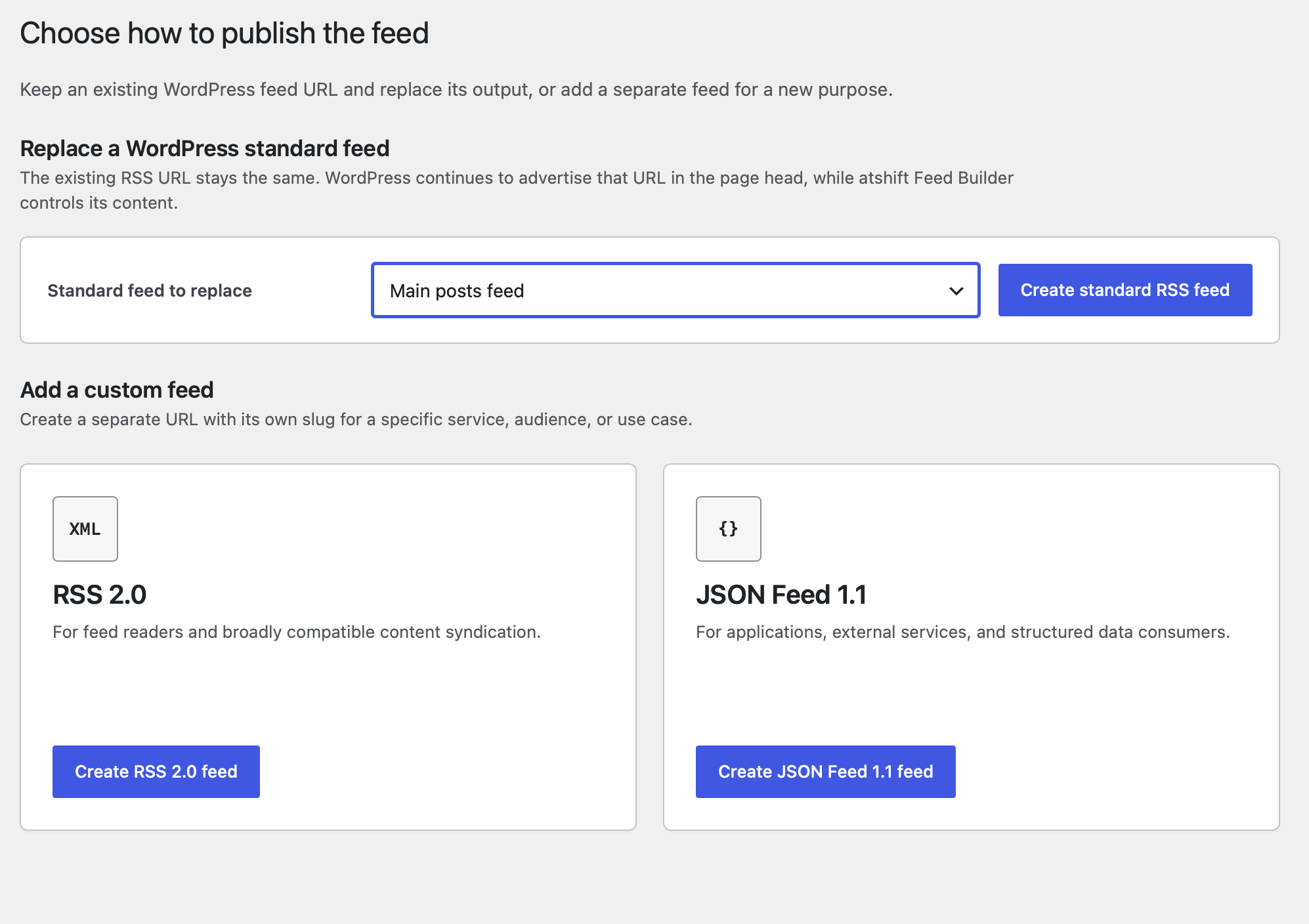
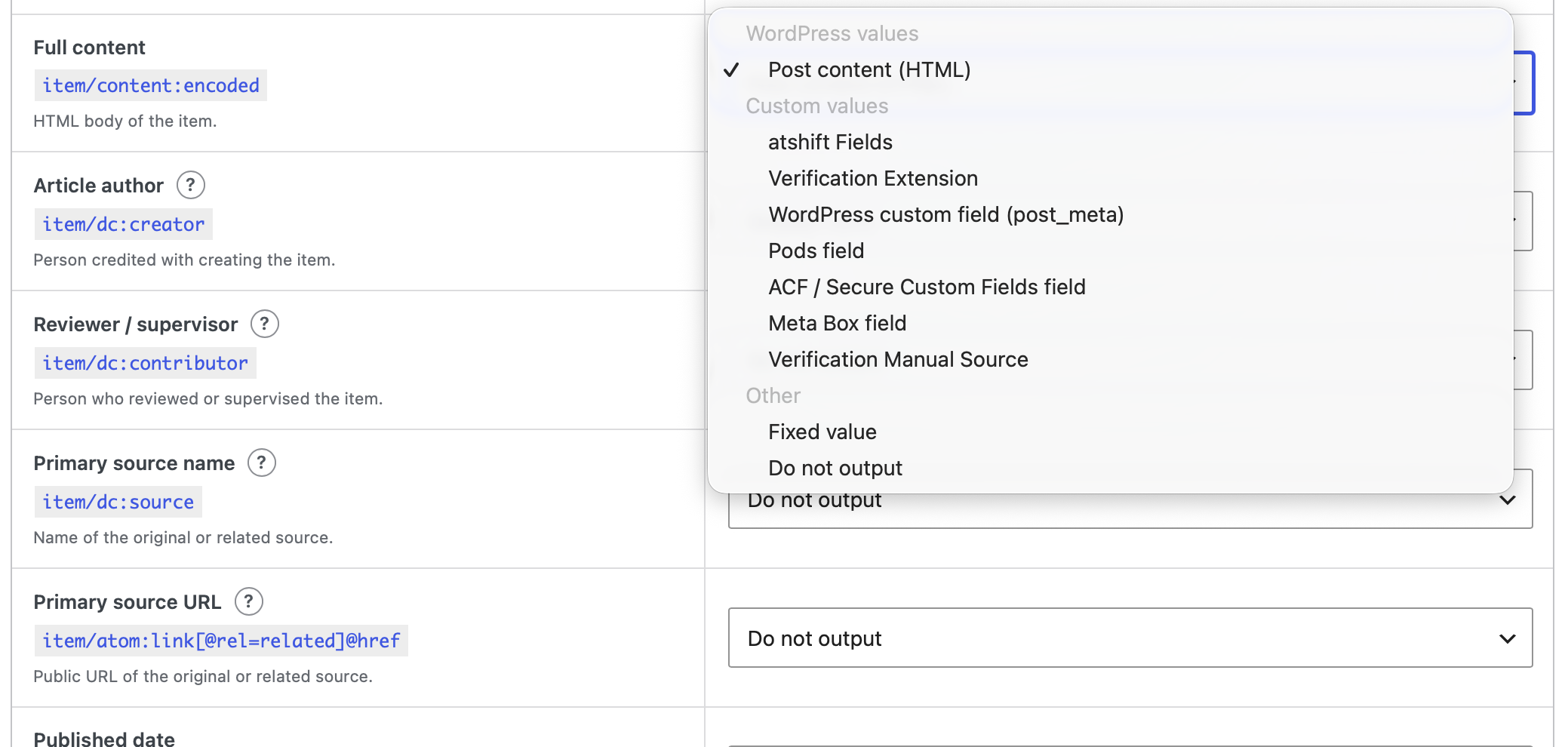
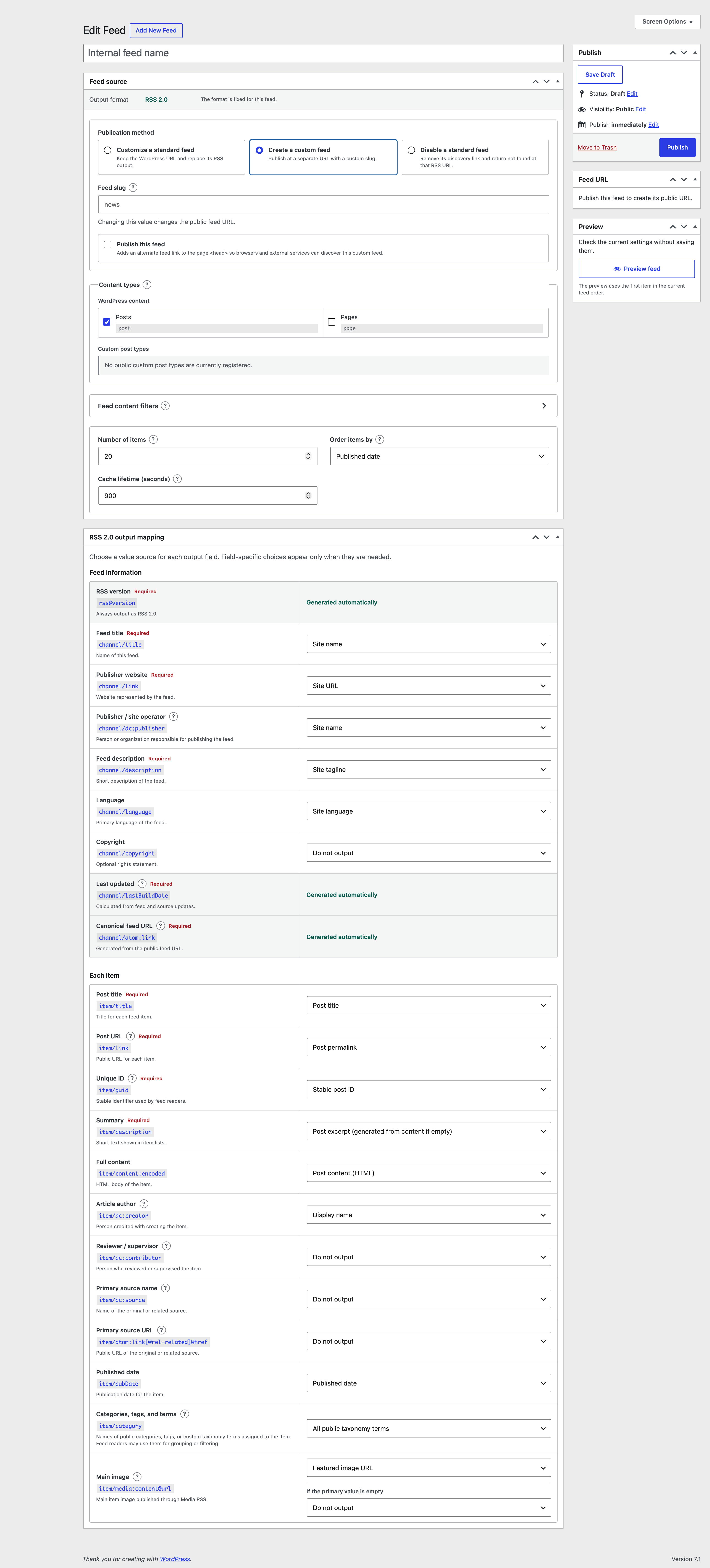
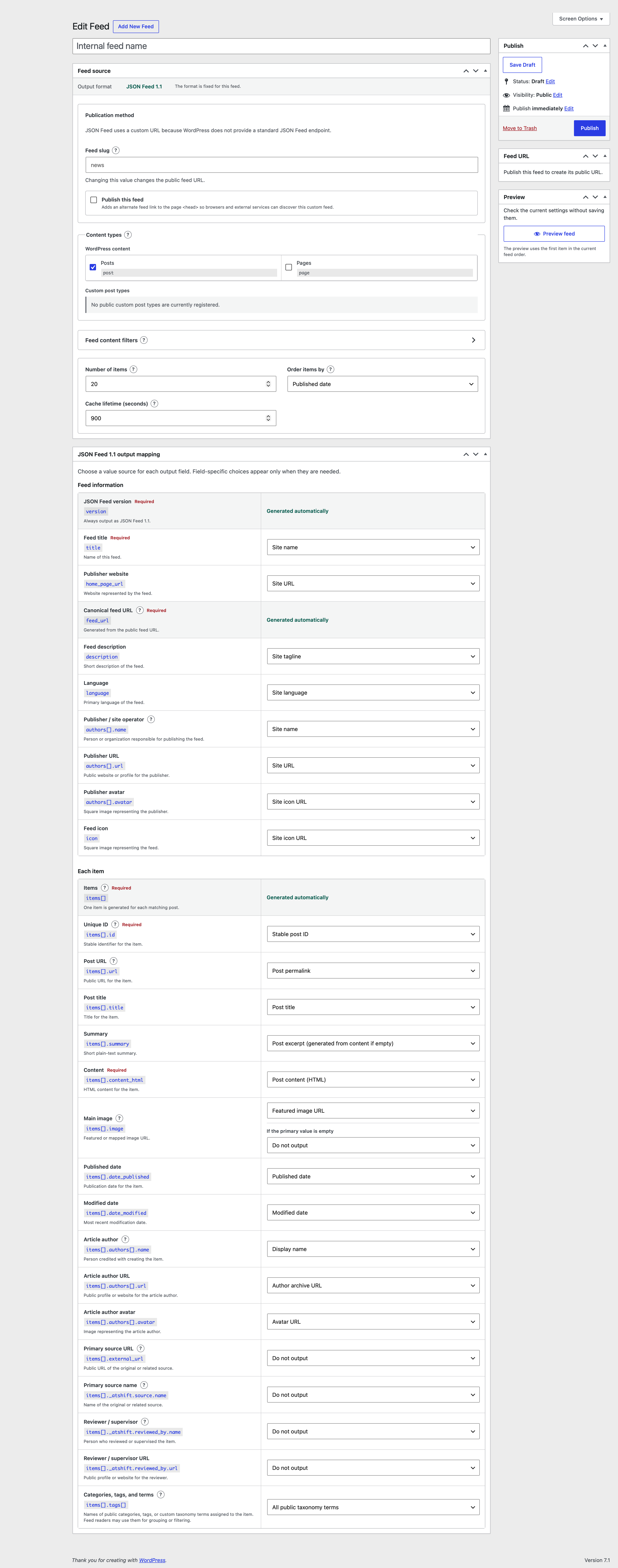
Select the format when creating a feed, then edit only the fields that belong to that standard. Preview the first real matching item before saving and inspect the generated XML or JSON.
Build XML feeds that fit familiar WordPress feed workflows, feed readers, and external collection services.
Map titles, content, URLs, tags, images, and metadata explicitly for services and AI workflows that prefer JSON. This is not a proprietary AI format.
Create multiple feeds for different purposes, then configure the content, attribution, and images used by each feed.
Filter items by post type, author, public taxonomy terms, and explicit custom field conditions.
Choose the item limit and order items using their published or modified dates.
Map the site publisher, article author, primary source, and reviewer independently.
When a featured image is missing, use another field value or a fixed URL as the fallback.
Feed Builder does not automatically expose every custom field stored on a post. You explicitly choose public values from WordPress values, fixed values, atshift Fields, and atshift User Profile Fields.
An adapter translates each custom field plugin's storage format or retrieval API into values Feed Builder can handle consistently. The atshift Fields and atshift User Profile Fields adapters read field definitions, labels, and types, then normalize complex values for the selected feed output.
Built-in adapters support Pods, ACF / Secure Custom Fields, Meta Box, and Carbon Fields. Enter an explicit field name and Feed Builder retrieves it through that plugin's API. A generic adapter accepts a meta key for Custom Field Template and other plugins that use standard post_meta. Developers can integrate other plugins by registering an additional source adapter.
/atshift-feed/{feed-slug}/rss/
/atshift-feed/{feed-slug}/json/
Standard feed customization preserves the existing WordPress feed URLs.
Feeds are public entry points for external readers. Feed Builder asks you to choose what to publish and blocks protected meta keys and values that could expose secrets.
Field values and user data are used only for the output fields you choose. Stored values are not appended automatically.
Keys related to authentication, sessions, tokens, capabilities, and other sensitive data are excluded.
Draft, scheduled, private, and password-protected posts are not included in public feeds.
Values are encoded for XML or JSON, and unexpected adapter values are discarded before output.
Fields that may contain email addresses, phone numbers, addresses, or other personal information are easier to review while mapping.
Set cache lifetime and alternate discovery links. Feed Builder sends ETag and Last-Modified headers with feed responses.
For developers
Register a class that implements Atshift_Feed_Builder_Source_Adapter with the atshift_feed_builder_source_adapters filter. Only values the adapter explicitly declares as public are added to the mapping choices.
Supported value types are string, number, boolean, URL, image, HTML, and list. Adapters that accept manually entered field names must also validate them and reject protected keys or secret values.
add_filter(
	'atshift_feed_builder_source_adapters',
	function ( $adapters ) {
		$adapters['example'] = new Example_Feed_Source();
		return $adapters;
	}
);It targets WordPress 6.4 or later and PHP 7.4 or later. Start on a staging site and verify feed URLs, generated output, and downstream service behavior.